Journey automation · WhatsApp

Keep customer journeys moving, even when your team is busy.

Some messages shouldn’t depend on anyone remembering to send them. Capture 1 designs and manages automated journeys that confirm, remind, inform, support and follow up at the right moments, using WhatsApp, automation, AI and the systems you already run.

Automation handles the predictable moments. AI and people handle the rest.

One thread, four weeks

Northgate Fitness replies instantly

Your show-around is booked for Thursday 6pm with Sam.Confirmed the moment you enquired

Tomorrow at 6pm. Parking is free after 5, come to the main desk.Reminder, sent the day before

Can I bring my partner along?

Of course. I’ll add a second guest pass to your booking.Open question, answered from approved information

Two weeks in. Want a free session with a trainer to set your plan?Onboarding, day 14

Confirm · remind · support · follow up

Triggered by real activityManaged by Capture 1

The moments you can predict

You already know many of the messages customers need. The problem is making sure they happen.

Most businesses can predict dozens of useful moments in advance. None is complicated on its own. The difficulty is delivering the right one, to the right person, at the right point, every time.

A booking is made

Confirmation, the practical details and the next useful step.

An appointment is approaching

A reminder, and an easy way to confirm or change it.

Someone registers for an event

Welcome them, help them prepare, keep them informed as the date nears.

A new member joins

Guide the first few weeks so it doesn’t go quiet after sign-up.

A customer completes a visit

Ask for feedback, share something useful, create a route back.

Someone stops engaging

A relevant prompt, rather than letting it fade out quietly.

Where each approach belongs

Automate the moments, not the relationship.

Good automation feels useful, timely and relevant. It takes repetitive work off your team without making the customer feel pushed into a rigid system. So we don’t treat every conversation the same way.

Structured automation

Best when the next step is known: confirmations, reminders, menus, information journeys, feedback, onboarding and follow-up.

AI conversation

Best when the customer has an open question, or needs an answer that doesn’t fit a fixed journey.

Human conversation

Best when judgement, empathy, expertise, negotiation or an exception is involved.

The strongest journeys use each of these deliberately.

The aim is not to automate everything. It is to know which moments should be reliable, which need a real conversation, and how the two hand over.

The whole lifecycle

Build communication around the whole customer lifecycle.

A useful journey rarely starts and ends with one message. We map what should happen around the moments that matter to your customer and to your business.

1

Trigger

A booking, registration, enquiry, payment, date or CRM update starts the right journey.

Enquiry received at 21:40

2

Confirm

Reassure the customer it worked, and give them what they need now.

“You’re booked for Thursday at 6pm.”

3

Prepare

Well-timed reminders and practical information, so they arrive ready.

“Parking is free after 5. Come to the main desk.”

4

Support

Easy access to information, self-service routes, AI answers and a person when one is needed.

“Can I bring my partner along?”

5

Follow up

Thank them, collect feedback, share something useful, move the relationship on.

“How was your first week?”

6

Re-engage

A permission-based route back for the next event, renewal, visit or booking.

“Your renewal is due. Same plan, or shall we look again?”

The customer stays in the same conversation.

What the communication is for changes over time. That is the difference between a connected journey and a collection of separate campaigns.

The building blocks

What can be automated?

Confirmations

Registrations, appointments, bookings, requests, payments and show-arounds.

Reminders

Event dates, deadlines, sessions, renewals, bookings and forms still to complete.

Practical updates

Travel, parking, venue and arrival information, changes and time-sensitive notices.

Self-service information

Menus, agendas, badge links, booking details, FAQs and personalised next steps.

Onboarding

Guide new customers, members, delegates or guests through the first days and weeks.

Feedback

Ask at the right moment, make responding simple, route answers to the right next action.

Follow-up

Thank-you messages, resources, next-step prompts and post-visit communication.

Re-engagement

Relevant messages to people who opted in but have gone quiet, lapsed or missed an event.

The same building blocks, in real customer conversations.

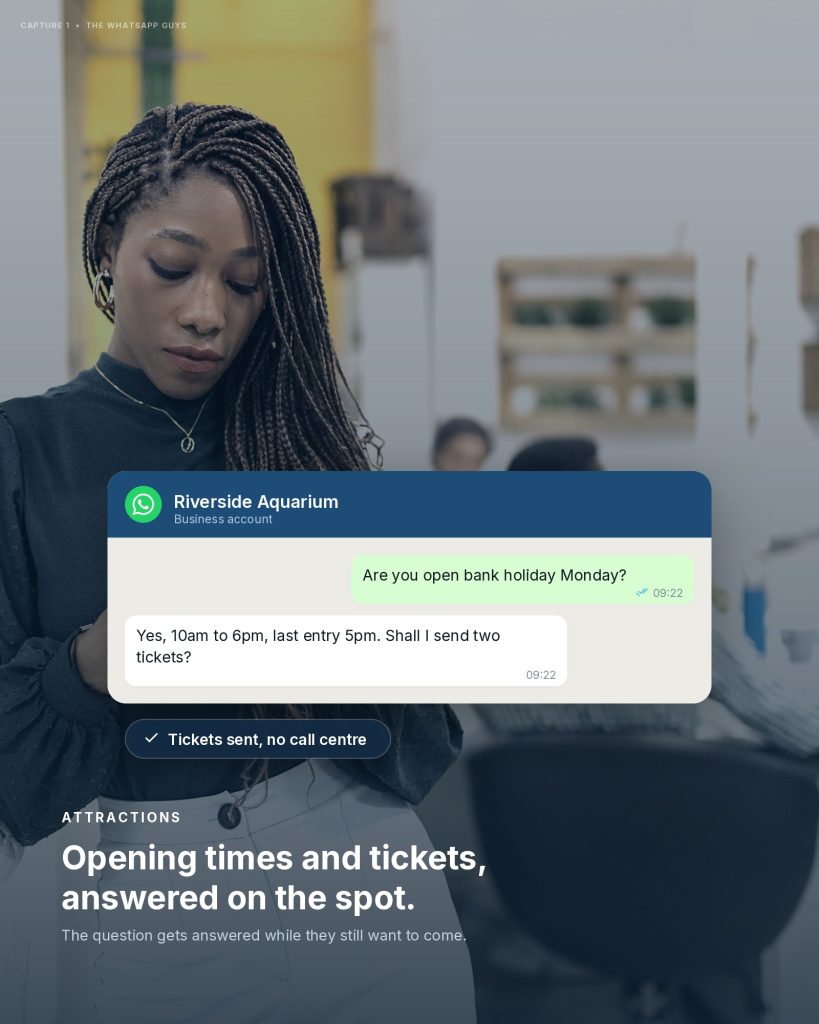
An attraction answering an opening-times question and sending tickets on WhatsApp

Self-service information“Are you open bank holiday Monday?”

Leisure & membership
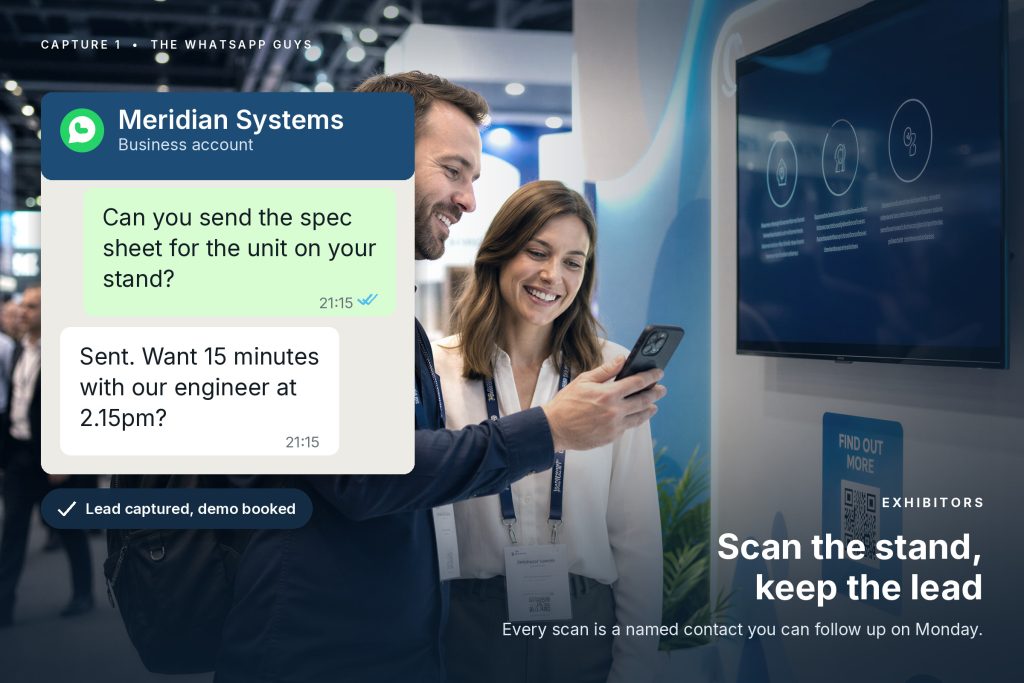
An exhibitor sending a spec sheet and booking a demo from a stand scan

Trigger to follow-up“Can you send the spec sheet for the unit on your stand?”

Events & exhibitions
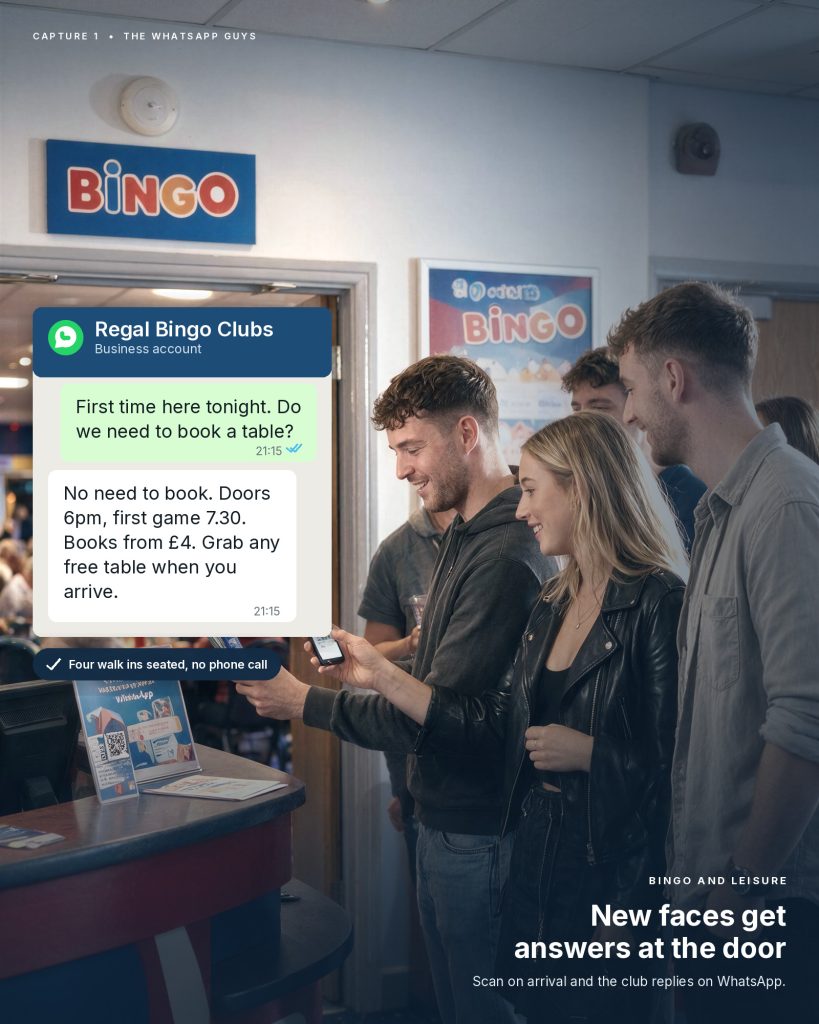
A bingo club answering a first-time visitor at the door on WhatsApp

First visit“First time here tonight. Do we need to book a table?”

Leisure & membership

Branching

One journey does not have to mean one message for everyone.

Automation becomes far more useful when the journey changes according to what you already know and what the customer does next.

One person registers for an event

VIP

Hosted arrival, private briefing times and a named contact before the doors open.

General

Badge link, agenda highlights, travel and parking, then live help on the day.

Late registrant

A shorter sequence that gets the essentials across before it is too late to matter.

Can’t attend

A graceful exit, the content they missed, and an easy route into the next one.

Four different experiences. One controlled communication architecture.

Tags, responses, dates, booking information, CRM data and engagement behaviour all make the journey more relevant, without making it harder for your team to manage.

Channel strategy

WhatsApp should be an “and” channel, not a replacement for everything else.

We are strong advocates for WhatsApp because customers already use it and important messages are hard to overlook there. But good communication strategy is not about forcing every message into one channel.

WhatsApp

Timely, conversational moments people will actually read.

Email

Longer detail, documents, receipts and anything worth keeping.

Booking systems and apps

The task itself: paying, choosing a slot, managing a ticket.

A person

Judgement, negotiation, complaints and anything genuinely unusual.

We help clients make those choices deliberately, so each channel does the job it is best at and the moments still connect to each other.

A visitor scanning a QR code on an exhibition stand

What starts a journey

The message does not have to start because someone presses send.

Journeys can be triggered by activity and data already happening around your business.

A form is submitted

Start an acknowledgement, qualification or information sequence.

A booking is created

Confirm it and begin the pre-arrival or appointment journey.

A registration is received

Welcome the person and schedule what they need before the event.

A date or deadline approaches

Send the right reminder at the right interval.

A customer replies

Branch the journey according to what they tell you.

Someone does not respond

Use a sensible nudge, or stop the sequence rather than sending again.

A person scans or clicks

A QR code, website button, advert or message link starts the relevant journey.

Automation and AI together

Not every customer message needs AI.

Use AI where conversation needs flexibility. Use automation where consistency is better.

Structured automation handles

  • Booking and registration confirmations
  • Reminders at a set interval
  • Onboarding and follow-up sequences
  • Feedback requests and re-engagement

The AI Agent handles

  • “Can I arrive early with a toddler?”
  • Questions phrased in an unexpected way
  • Information spread across several sources
  • Knowing when a person should take over
Designed to work togetherThere is little value in asking AI to invent a booking confirmation. There is real value in it answering the question that follows.

Already running

Real journeys, working in live customer communication.

The best evidence for messaging automation is not one clever chatbot reply. It is whether the communication works across the whole lifecycle.

44,000+broadcast sends in one event lifecycle
76%click-through, eve of show
84%top-level click-through on an agenda flow
99%+of routine live-chat questions handled automatically

Events

Registration to post-show

Across our work with Nineteen Group events, WhatsApp journeys have handled registration confirmation, pre-show nurture, agenda planning, reminders, live event information, AI-supported questions and post-show re-engagement as one connected channel.

Events & exhibitions work
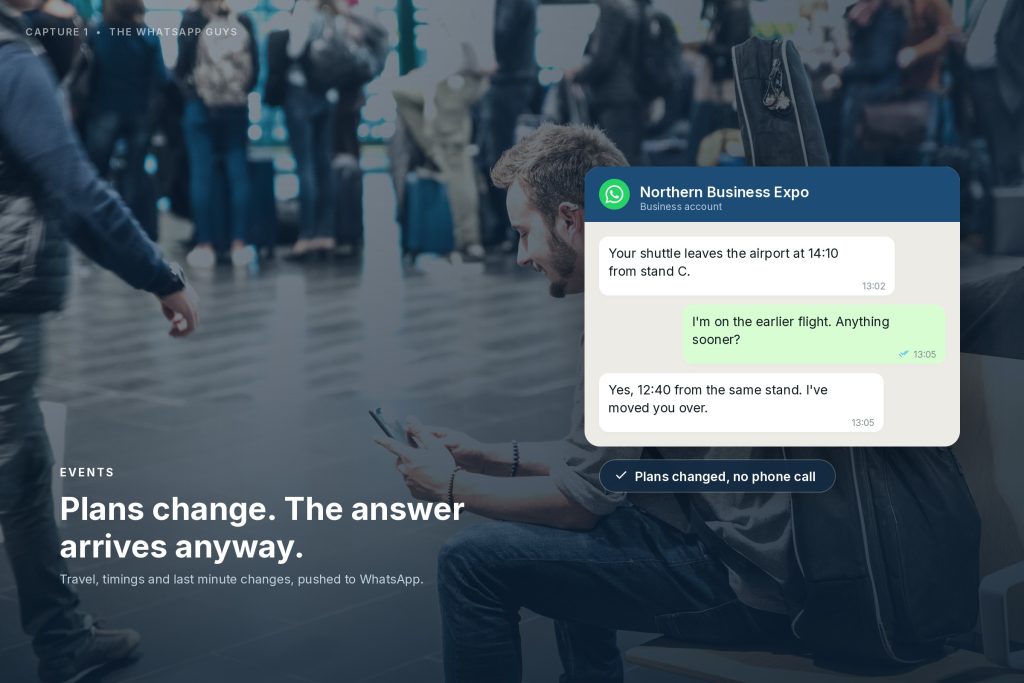
An event attendee getting a travel change answered on WhatsApp

Leisure

Enquiry to early membership

Our M-Club Gym work applies the same thinking to a very different journey: website enquiries routed immediately, show-arounds booked and reminded, then a structured first-30-days sequence for new members.

The technology changes less than the communication logic.

Leisure & membership work
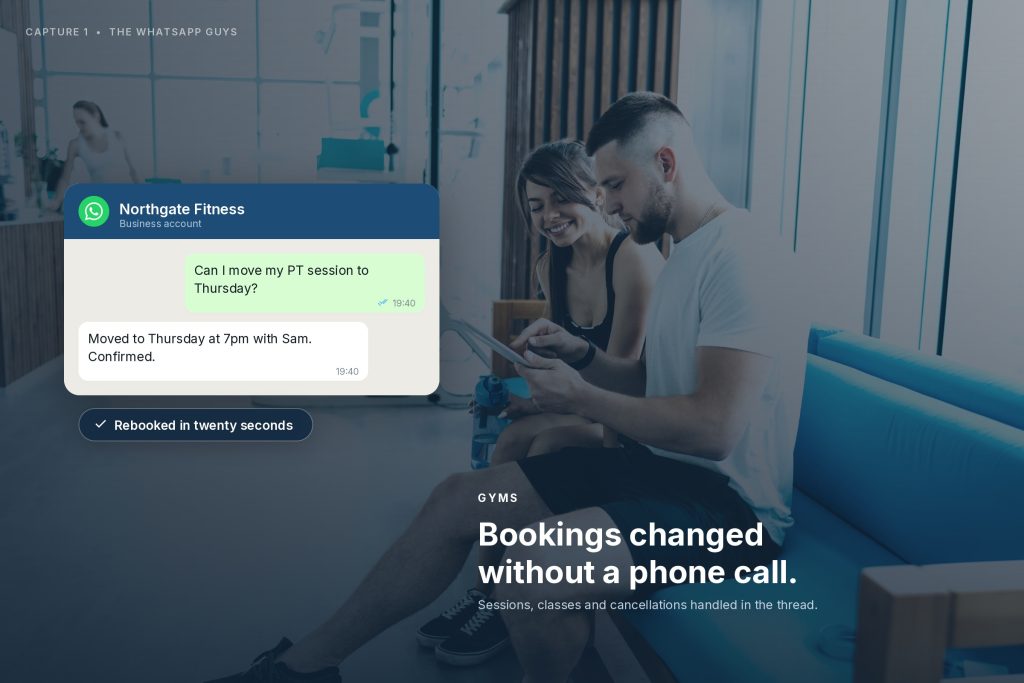
A gym member moving a personal training session on WhatsApp

Hospitality

Build an audience you can keep serving

At Aldwark Manor Estate a new WhatsApp channel grew from zero to 2,021 opted-in contacts in six weeks, and a campaign broadcast achieved a 75% click-through rate.

The value is not one campaign. It is a permission-based channel that can support guest communication from then on.

Hotels & hospitality work
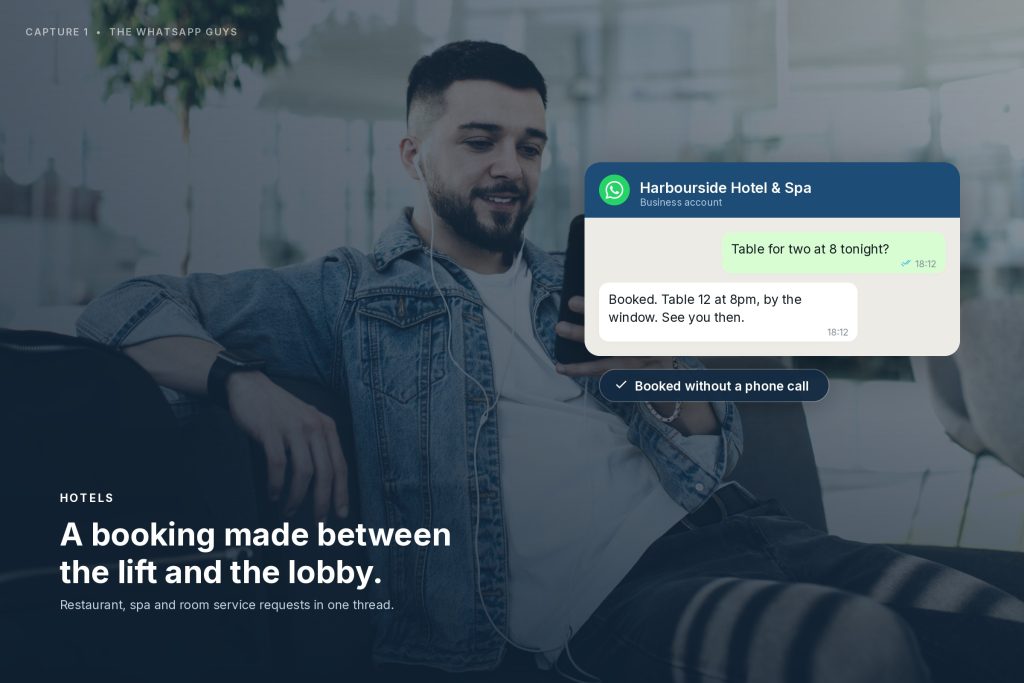
A hotel guest booking a restaurant table on WhatsApp

Not every client needs an event-style journey. The design principle is the same everywhere: identify the moments, connect them, automate what should happen reliably and keep a route to real people.

Connected, not separate

Automation is more useful when it connects to the systems you already use.

A customer journey should not sit in its own bubble when the information needed to run it already exists elsewhere.

Depending on the project we connect messaging journeys with CRM systems, booking platforms, event registration tools, forms, spreadsheets and marketing platforms. Communication then reacts to real activity rather than manual updates.

It also means your team receives the context collected during the journey at the moment a customer needs a person.

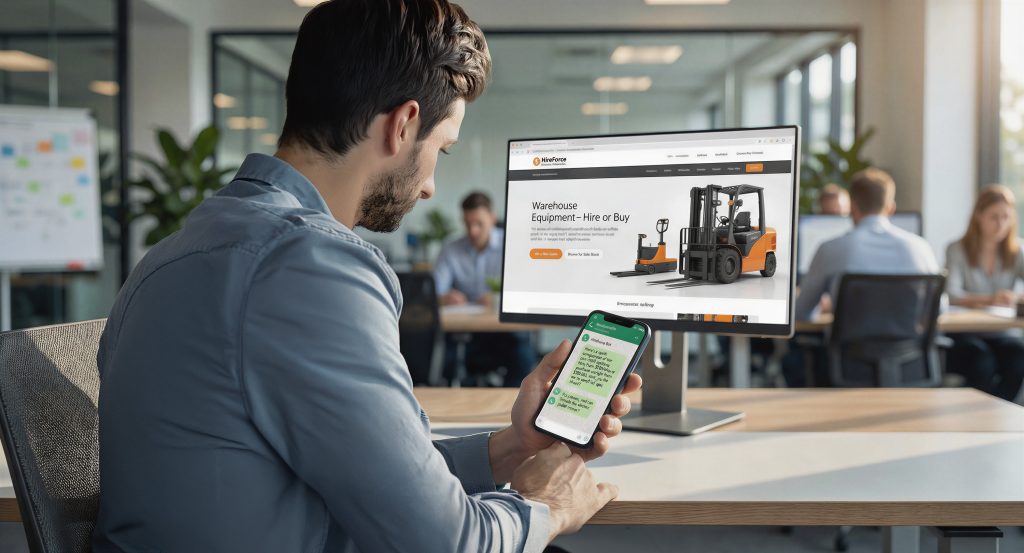
A website enquiry arriving on a phone while the desktop site stays open

Commonly connected

CRMBooking platformsEvent registrationFormsSpreadsheetsEmail & marketingPayment recordsYour team’s inbox

The same pattern, different sectors

What does this look like in different businesses?

Events & exhibitions

RegistrationAttendee nurtureAgenda & remindersLive informationFeedbackNext event

Hotels & hospitality

Enquiry or bookingPre-arrival informationIn-stay helpFeedbackReturn communication

Gyms & membership

EnquiryShow-aroundReminderJoinFirst 30 daysRetention & renewal

Clinics & service businesses

EnquiryInformationQualificationAppointment prepReminderFollow-up

Attractions & venues

BookingVisit informationRemindersOn-the-day helpFeedbackReturn visit

Training & programmes

Sign-upOnboardingSession remindersResourcesCompletionNext step

A managed service

We design the journey before we automate it.

Software can make messages happen. It cannot decide which messages should exist, which ones customers will value, or where a person needs to become involved. That is the work we do with you.

01

Map the current journey

What customers receive now, where it depends on manual effort, where useful contact is missing.

02

Prioritise the moments

Where faster, clearer or more consistent messaging would make the biggest difference.

03

Design the logic

Triggers, branches, timing, opt-ins, AI routes, human handover and data connections, mapped before build.

04

Build and test

Create the journeys, connect the systems, test the expected paths and the awkward edge cases.

05

Launch and improve

Once real customers use it, review behaviour, questions and engagement, then refine.

Not “here is some automation software”.

We help you work out what good customer communication should look like, then build and manage the system that makes it happen.

Is it right for you

Where customer journey automation tends to add the most value.

  • Customers pass through a recognisable sequence before, during or after buying, booking, registering or joining.
  • Your team sends the same confirmations, reminders or updates repeatedly.
  • Important information depends on someone remembering to send it.
  • Customers miss communications because stages sit across different inboxes or systems.
  • You want to improve the gap between sign-up and attendance, booking and arrival, or enquiry and the next action.
  • You have a valuable customer or member base but limited structured follow-up.
  • You want automation without removing the option of a real conversation.

Questions

Frequently asked questions

What is customer journey automation?

Triggers, rules and connected data that send useful communication automatically as a customer moves through a process: confirming a booking, reminding before an appointment, sharing information before an event, requesting feedback afterwards or starting a relevant follow-up.

Is this the same as marketing automation?

There is overlap, but our focus is broader than promotion. It supports service, operations, attendance, onboarding, customer care, retention and repeat business as well as marketing.

Does it have to use WhatsApp?

No. We use WhatsApp heavily because it works for timely, conversational communication, but we design around the journey first. Email, CRM activity, booking systems and event apps can all stay part of the solution.

Can WhatsApp messages be sent automatically?

Yes, using the WhatsApp Business Platform and the appropriate approved messaging setup. Journeys can be triggered by customer actions, dates, data and responses. We design the opt-in, templates, timing and logic around the use case.

Can different customers receive different journeys?

Yes. Journeys branch according to responses, tags, dates, customer type, booking or registration information and connected system data.

Where does AI fit in?

AI suits open questions and flexible conversation. Structured automation is usually better for predictable steps such as confirmations and reminders. We combine the two and include human handover where appropriate.

Can it connect to our CRM or booking system?

Often, yes. The exact integration depends on the platforms involved, but we regularly work with CRM, registration, booking, spreadsheet and marketing systems and assess the best route during discovery.

Do we have to manage all of this ourselves?

No. Capture 1 can design, build, test and support the journeys as a managed service, and we agree the level of ongoing management and handover that fits your team.

How do you stop automated messages becoming annoying?

By starting with relevance. Clear triggers, sensible timing, segmentation, opt-in and stopping rules. The aim is to make the customer feel helped, not chased.
Talk to us

Which customer messages should happen every time, but currently do not?

Show us the journey as it works today. We can help identify the communication gaps, the repetitive manual tasks and the moments where automation would make it easier for customers and for your team.