
WhatsApp Business API
Turn WhatsApp into a working customer communication channel.
Your customers already know how to use WhatsApp. The opportunity is to make it do far more for your business than exchange messages.
We design and manage WhatsApp solutions that answer questions, nurture enquiries, send useful updates, collect information and move a conversation to the right person when a human is needed.
Every route lands in the same conversation.
I registered last week but can’t find my badge. Where do I get it?
Your badge was emailed on 14 April. I can resend it now, or you can collect it at the Fast Track desk by the main entrance.
Resend it please
Sent, and saved in this chat so you can find it on the day. Doors open at 9:30. Shall I remind you the night before?
Entry point · registration confirmation
The difference that matters
WhatsApp Business API is not the same as the WhatsApp Business app.
WhatsApp Business app
One phone, one person, one conversation at a time.
Useful for smaller businesses that want to manage customer conversations manually from a phone or desktop.
WhatsApp Business Platform
Built for businesses that need WhatsApp to work at scale.
Often still called WhatsApp Business API. It connects with automation, customer journeys, team inboxes, AI and your other business systems.
- More than one person can manage customer conversations
- Messages and journeys can be automated rather than sent one at a time
- Customers enter different journeys depending on what they need
- Business systems pass information into and out of the conversation
- Approved outbound messages support reminders, updates and campaigns
- AI answers open questions using knowledge defined around your business
- A live team member takes over when a conversation needs a person
The technology gives you the capability. The important part is deciding how to use it well.
Where we start
Start with the customer journey, not the software.
A useful WhatsApp solution starts with a simple question: what are you trying to make easier, for the customer and for your team?
That might be responding to an enquiry faster, getting more registered delegates to attend, answering repetitive guest questions, qualifying a lead before it reaches sales, collecting feedback or keeping in touch after the first transaction.
We map the journey first, then decide where WhatsApp, automation, AI and people should play a part.

The journey comes first. The platform choices follow it.
Practical uses
What can a business use WhatsApp Business API for?
Respond while interest is high
Move someone from a website, advert, QR code or social post straight into a useful conversation, ask the right questions and prepare the enquiry for your team.
Enquiry and lead nurturingAnswer customer questions
Structured journeys deal with predictable requests, while an AI Agent handles open questions using approved business knowledge.
The AI ReceptionistConfirm, remind and update
Confirmations, joining information, pre-arrival details, event information and changes — the messages people genuinely need to see.
Automate repeat processes
Turn repetitive communication into journeys that run consistently, without someone manually sending every message.
Messaging automationCollect information and feedback
Ask questions inside the conversation, capture useful customer information, segment contacts and gather feedback without a long external form.
Keep the relationship going
With the right permission and messaging strategy, WhatsApp supports follow-up, relevant campaigns, renewals, return visits and repeat business.
What people actually ask
Real questions, not chatbot greetings.
Event
“I registered last week but can’t find my badge. Where do I get it?”
Hotel
“We’re staying on Saturday. Can my daughter use the spa pool?”
Membership
“I’m interested in joining but can only come before work. What would suit me?”
Enquiry
“We’re looking at September next year for around 90 guests. What should we do next?”

Behind the conversation
A customer should not have to understand your systems to get an answer.
Behind a good WhatsApp experience there may be a website, CRM, registration platform, booking system, knowledge base, inbox and several members of staff. The customer should see none of it. They should ask a simple question, give information once and move to the next step.
The customer
Asks in their own words, from wherever they found you.
The WhatsApp conversation
One familiar channel, on a phone they already use every day.
Automation and AI
A structured journey for predictable requests. Conversational AI for everything asked a different way.
Approved knowledge
Your business systems
Your team, when it matters
The conversation is routed to a person with the context already visible.
Capture 1 connects the systems behind the conversation, so WhatsApp becomes a useful front door rather than another disconnected channel.
Deciding what goes where
Not every conversation should be automated in the same way.
One of the biggest mistakes in customer automation is trying to make one tool do everything. Some conversations are better as clear, structured journeys. Others are better handled with conversational AI. And some should reach a person quickly.
Structured automation works well for
- Registrations and confirmations
- Appointment or show-around requests
- Data capture and qualification
- Reminders and updates
- Menus and information journeys
- Feedback and surveys
AI works well for
- Open questions in the customer’s own words
- Finding relevant information from approved knowledge
- Follow-up questions that do not fit a fixed menu
- Helping customers navigate complex information
People work best for
- Exceptions and unusual circumstances
- Sensitive or complex customer service issues
- Commercial conversations
- Judgement, reassurance and relationship building
The best WhatsApp systems use all three deliberately.
Conversational AI
Add AI without losing control of the answer.
Customers do not always ask a question in the wording you planned for. That is where conversational AI makes WhatsApp much more useful.
The aim is not to let AI improvise about your business. It is to give it the right information, clear boundaries and a sensible route to a human when it needs one.
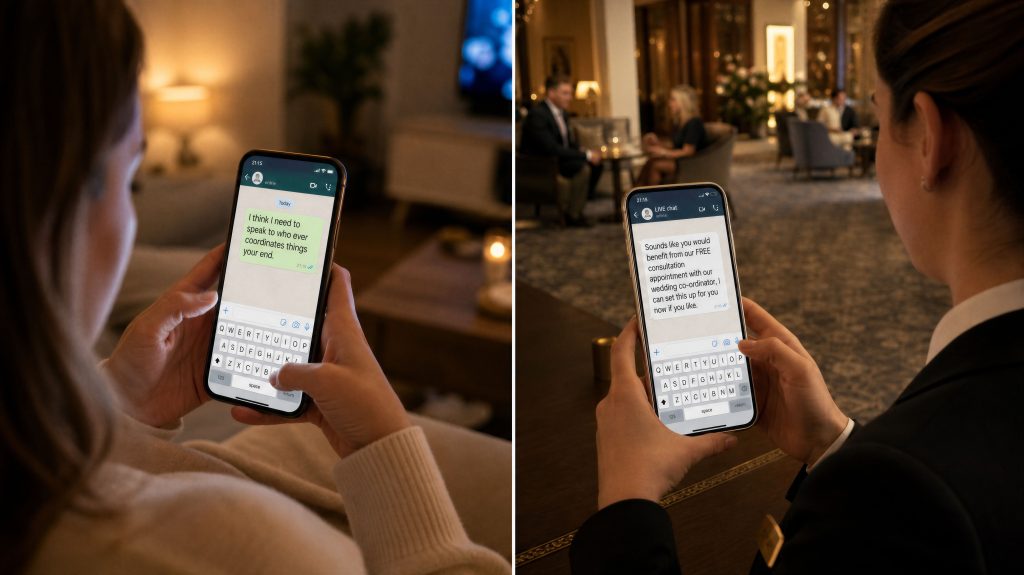
Our AI Agent works from knowledge you approve
Capture 1 helps define what the AI should know, how that knowledge is organised, how answers should sound, and when the conversation should stop being automated.
Automation and people
Human handover should feel like part of the journey, not a failure of it.
Automation is useful because it is fast, consistent and available when your team is not. People are useful because they apply judgement, expertise and empathy. A well-designed WhatsApp channel gives you both.
When a customer needs someone from your team, the conversation is assigned or routed with the context already visible. The customer does not repeat anything they have already explained.
One channel, lots of ways in
WhatsApp can sit naturally at different points in the customer journey.
From your website
Replace a passive contact form or a generic “contact us” route with the option to start a conversation immediately.
From advertising
Move interest from an advert directly into a WhatsApp journey designed around that campaign or service.
From QR codes
Use rooms, venues, signage, printed material and event environments as easy entry points into help or information.
From registration or booking
Connect WhatsApp after someone has already taken an action, then use it for confirmations, reminders and follow-up.
From an existing audience
With the right permissions, invite customers, members or attendees to use WhatsApp as an ongoing communication channel.
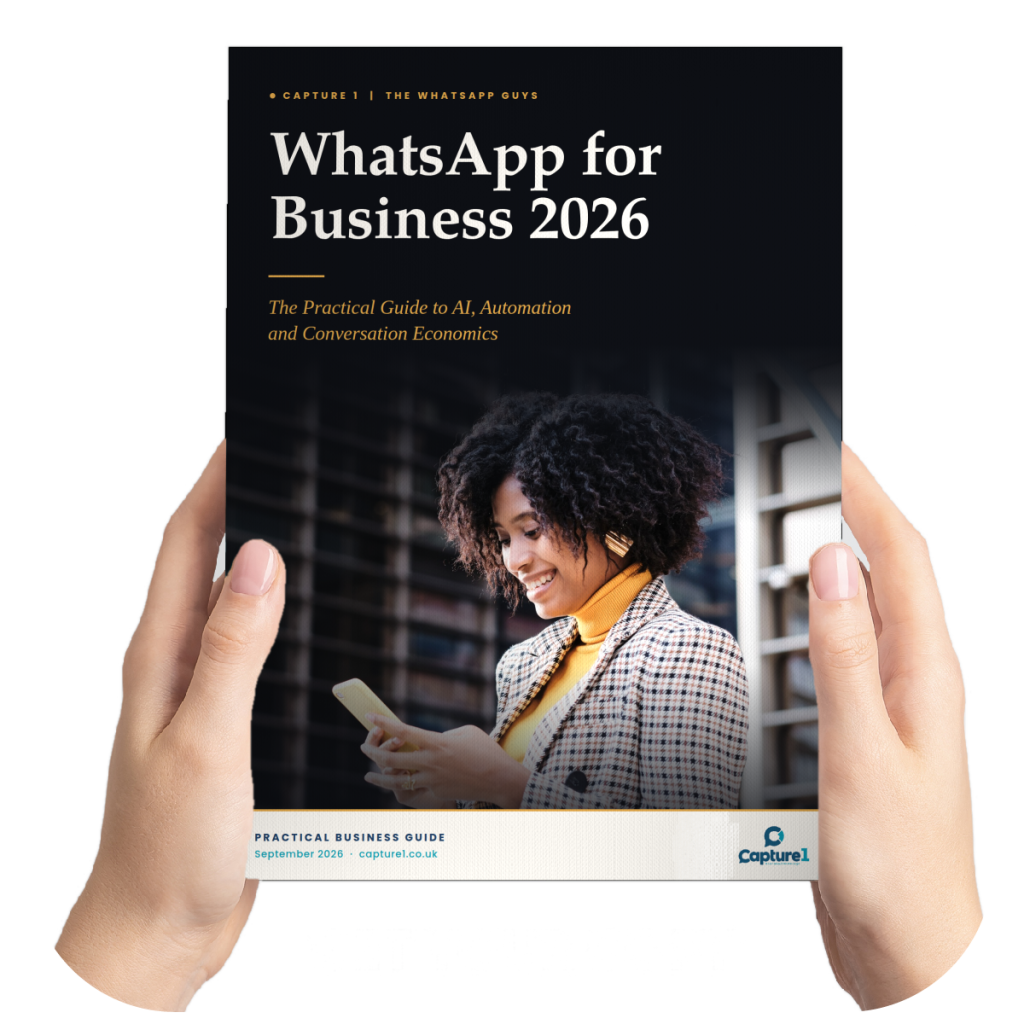
Free guide
WhatsApp for Business 2026
What has changed on the platform, what it now makes possible, and what a well-run WhatsApp channel actually looks like.
Delivered straight into WhatsApp. No form to fill in.
A managed service
Designed around your business, managed by ours.
We do not hand clients a piece of software and expect them to work out the rest. Capture 1 supports the whole process, from the customer journey and WhatsApp setup through to automation design, AI knowledge, testing, integrations, reporting and ongoing improvement.
Understand the problem
The customer journey, the questions people ask, and where communication turns manual.
Plan the channel
How people enter WhatsApp, what journeys they need, and what should be automated, AI-assisted or human.
Build and connect it
We configure the channel, usually with ManyChat for automation and journeys, and connect your other systems.
Test properly
Journeys, messages, edge cases, AI responses, escalation, and the experience on a real phone.
Launch and improve
Real behaviour tells us what to refine: messages, journeys, knowledge and calls to action.
The platform underneath
What does ManyChat have to do with it?
ManyChat is the automation platform underneath much of the WhatsApp work we build. It gives us a practical way to design customer journeys, manage contact information, trigger messages, route conversations and connect WhatsApp with other tools.
Clients do not come to us because they want a ManyChat account. They come because they want a customer communication problem solved. We use the platform as part of the solution, and take responsibility for everything around it.
What we take responsibility for
- The customer journey and its structure
- Setup, configuration and verification
- AI knowledge and its boundaries
- Integrations with your other systems
- Testing, reporting and ongoing performance
Work that is running now
WhatsApp working in the real world.
We have used WhatsApp Business API across very different customer journeys, from large events and visitor communication to lead generation, training, customer service and leisure.

Events and exhibitions
Registration to attendance, and everything after it
The value is not a single message. It is a channel that stays useful before, during and after the event.
Events & exhibitions
Enquiry nurturing
An answer while the enquiry is still warm
Website and advertising entry points connected to journeys that respond immediately, qualify the enquiry and prepare it for CRM and human follow-up.
Enquiry & lead nurturing
Learning and support
A structured programme that fits around real life
For an NHS-linked support programme we moved a structured learning journey into WhatsApp, so users could reach rich information and interactive support in a format that fitted more naturally into everyday life.
See our workIs it right for you
Who is WhatsApp Business API a good fit for?
It is particularly useful when your organisation has a meaningful volume of customer communication, and you want WhatsApp to do more than provide another number people can message.
- You want faster response to customer enquiries
- You send regular confirmations, reminders or updates
- Your team answers the same questions repeatedly
- You communicate before or after an event, booking or visit
- You need more than one team member in customer conversations
- You want AI or automation without losing human handover
- You need WhatsApp to connect with existing systems
- You want a managed solution rather than building it internally
And when it is not
If your requirement is simply to reply manually to a small number of customer messages, the standard WhatsApp Business app may already be enough. We will tell you if that is the case.
A Capture 1 brand
The WhatsApp Guys
A specialist WhatsApp brand, backed by Capture 1.
The WhatsApp Guys is where we share channel-specific examples, sector ideas, demonstrations and results. Capture 1 brings the wider communication strategy, integration, AI and agency experience behind the work.
The same team and the same expertise, viewed from two useful angles.
What you will find there
- Sector examples and campaign ideas
- Live demonstrations you can try
- Channel results and what drove them
Questions we get asked
Frequently asked questions
What is WhatsApp Business API?
It is the term commonly used for the technology that lets businesses use WhatsApp at scale, with automation, multiple users, connected systems and structured business messaging. The current Meta product is the WhatsApp Business Platform.
What is the difference between WhatsApp Business and WhatsApp Business API?
The WhatsApp Business app is designed for smaller businesses managing conversations manually. The WhatsApp Business Platform supports automation, integrations, team workflows and scalable messaging.
Do we need a new WhatsApp number?
It depends on your existing setup and how the number is currently used. We assess this during setup and guide you through the appropriate number and Meta verification process.
Can we send marketing messages on WhatsApp?
Yes, where the recipient has given the appropriate permission and the messaging follows WhatsApp Business rules. We help plan opt-in routes, approved message templates and a sensible communication strategy, rather than treating WhatsApp as an unrestricted broadcast list.
Can customers reply to automated messages?
Yes. WhatsApp is most useful when communication can become a conversation. We design what happens when someone replies, whether that leads to automation, AI or a person.
Can WhatsApp connect with our CRM, booking or registration system?
Often, yes. The method depends on the systems involved, but integrations can allow information to move between WhatsApp and the tools your business already uses.
Can AI answer questions in WhatsApp?
Yes. Our AI Agent answers open questions using approved business knowledge, and can be combined with structured automation and human handover.
Can our team take over a conversation?
Yes. A key part of a useful solution is making sure human conversations are easy to route and continue, with the previous context visible.
Do you manage the system after launch?
Yes. Capture 1 offers managed support and ongoing optimisation. The level of involvement depends on the project and how much your internal team wants to manage.
Is WhatsApp right for every business?
No. It works best where customers are comfortable using the channel and there is a genuine communication journey to improve. If a simpler approach is more appropriate, we would rather recommend that than build technology you do not need.
Start with a conversation
What could WhatsApp make easier in your customer journey?
You do not need to arrive with a technical specification. Show us how customers communicate with you now, where enquiries or information get stuck, and what your team spends time doing repeatedly.
We will help you work out whether WhatsApp Business API can create a better journey, and what the right combination of automation, AI, integration and human support should look like.